
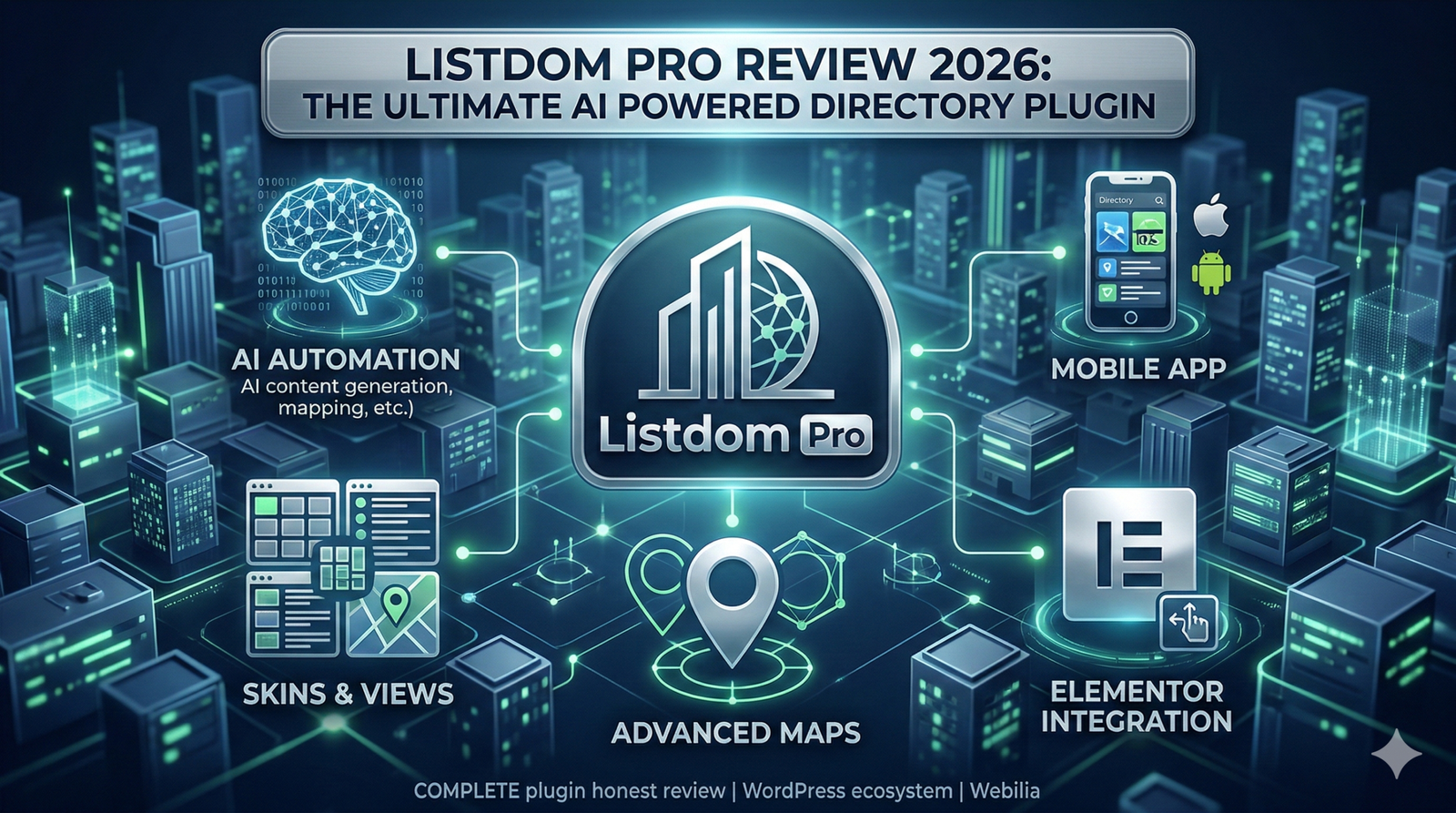
If you are building a directory, classifieds, or local business listing website in 2026, you already know the WordPress ecosystem is crowded. Finding the right tool that balances design flexibility, performance, and advanced technology is a challenge. Today, I am providing a complete Listdom Plugin Honest Review. Created by Webilia, Listdom has rapidly evolved from a standard listing tool into a modern, AI driven platform.
Whether you are building a global real estate portal, a local restaurant guide, or a specialized job board, this article covers everything you need to know. We will dive deep into its core mechanics, premium add ons, and how it stacks up against the competition. If you are searching for the Best WordPress Directory Plugins 2026, grab a cup of coffee. We are going to explore exactly what makes Listdom tick.
Standout Features of Listdom
What separates Listdom from older, clunky plugins is its modern architecture. It is built to be fast, highly visual, and smart. Let us break down the specific features that make this plugin a top contender.
Listdom AI Directory Features
In 2026, a directory plugin without artificial intelligence feels outdated. The Listdom AI Directory Features integrate directly with powerful language models like OpenAI, Claude, and Gemini. This means the plugin can automatically generate engaging listing descriptions, create realistic work hours, and intuitively map your CSV import data. If you have thousands of listings to process, these AI tools will save you hundreds of hours of manual data entry.
Listdom Skins and Views Customization
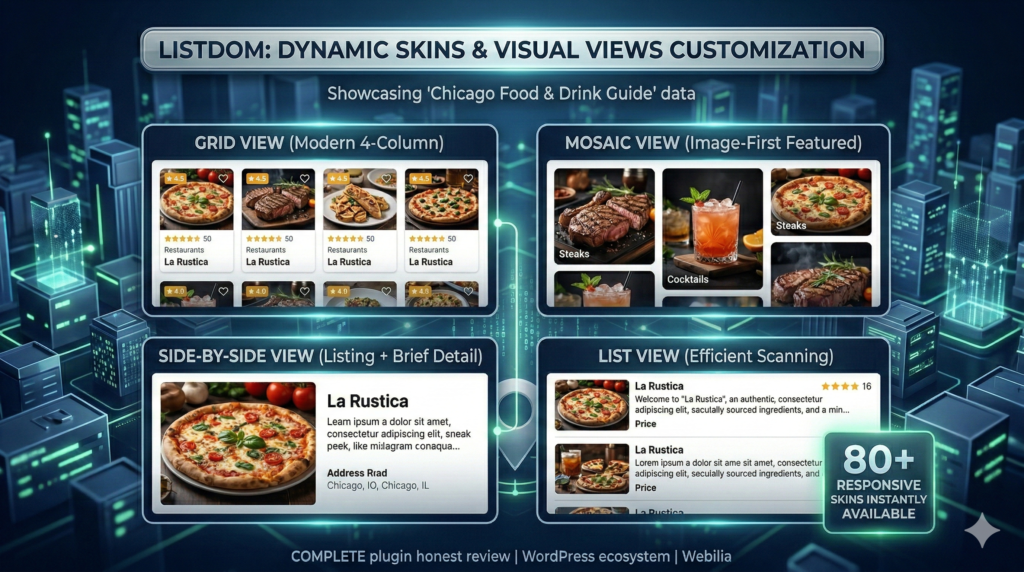
First impressions matter. One of the biggest selling points of the free core plugin is the Listdom Skins and Views Customization. Out of the box, you get access to over 80 different responsive skins. You can display your listings in a grid, list, masonry, carousel, side by side, mosaic, or accordion view. You do not need to be a CSS expert to make your directory look like a premium, custom coded website.
Listdom Elementor Integration Review
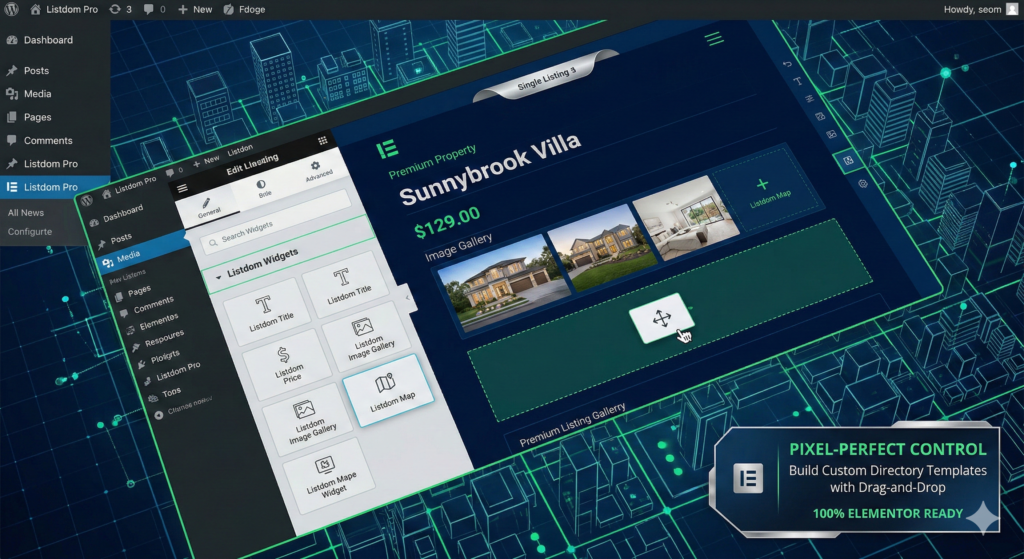
For users who want pixel perfect control over their design, the Listdom Elementor Integration Review is highly positive. The dedicated Elementor Addon allows you to use Elementor to build custom single listing templates, customized listing cards for archive pages, and even custom map infowindows. You can easily drag and drop listing titles, image galleries, price fields, and contact buttons wherever you want them.
Listdom Google Maps Integration Review

Location based searches are the backbone of any good directory. The Listdom Google Maps Integration Review reveals a deeply integrated mapping system. It supports both Google Maps and OpenStreetMap. Users benefit from advanced marker clustering, custom map styles, radius searches, and drawn shape searches like polygons and circles. If a user wants to find a coffee shop within a two mile radius, the map handles it seamlessly.
Listdom CSV Importer Guide
Migrating data from an old site or uploading bulk listings can be a nightmare. Following a Listdom CSV Importer Guide makes this process incredibly smooth. The CSV Addon, boosted by AI auto mapping, intelligently reads your spreadsheet and matches columns like title, description, address, and categories to the correct Listdom fields.
Listdom Frontend Submission Review
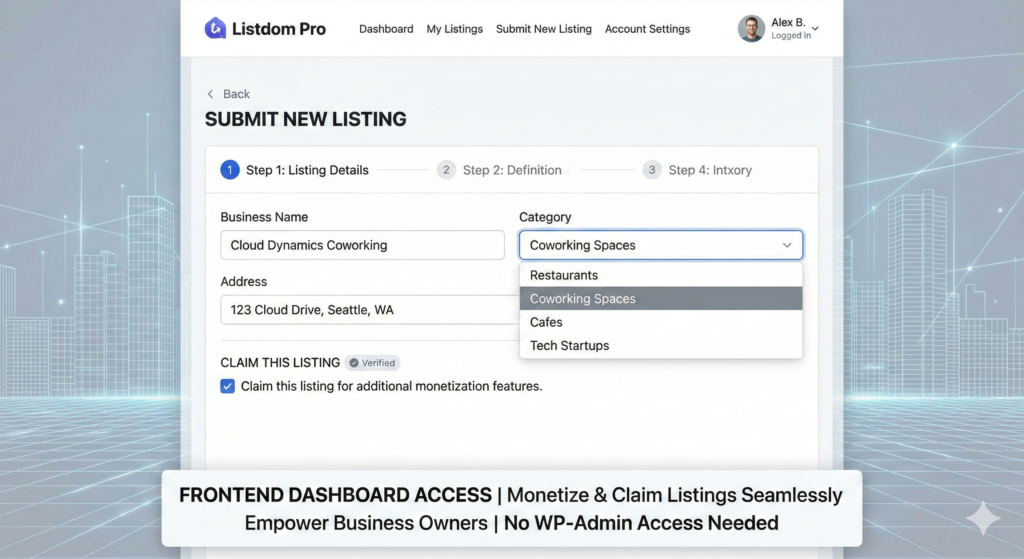
To monetize a directory, you need a smooth way for business owners to claim and submit their own listings. The Listdom Frontend Submission Review highlights a clean, user friendly frontend dashboard. Available in the Pro version, this feature allows users to register, pick a payment plan, submit their business details, and manage their listings without ever seeing the WordPress backend admin panel.
Listdom Mobile App Review

As mobile traffic continues to dominate, having a native app is a huge advantage. Based on the latest updates, the Listdom Mobile App Review shows that Webilia offers an add on to convert your WordPress directory into native Android and iOS applications. This allows you to send push notifications to users and offer a truly premium, app store ready experience.
Listdom Add-ons Review
The core plugin is free, but the true power of this platform lies in its modular ecosystem. A thorough Listdom Add-ons Review shows over 30 extensions designed to scale your business.
Some of the most popular add ons include the Advanced Map addon for drawing shapes and custom infowindows, the Claim Feature which allows business owners to verify their listings, and the Subscriptions addon for recurring revenue. You can also integrate the Listdom Bridge Addon, which magically migrates all your listings, categories, and map data from older plugins directly into Listdom with zero data loss.
How to set up Listdom Directory
Learning How to set up Listdom Directory is surprisingly straightforward.
First, install the free Listdom plugin from the WordPress repository. Second, run the quick setup wizard to generate your essential pages, such as the search page and the frontend dashboard. Third, configure your taxonomies by setting up your categories, locations, tags, and custom fields. Fourth, customize your search builder to ensure your users can filter listings by the criteria that matter most to your niche. Finally, use the shortcode generator or Elementor widgets to place your directory views on your homepage.
Listdom Pricing Plans Explained
Understanding the cost of building a directory is crucial for your budget. The Listdom Pricing Plans Explained section breaks down how Webilia monetizes the platform.
The core plugin is absolutely free and incredibly generous. However, to access advanced features like frontend submissions and premium payment gateways, you need Listdom Pro. You can purchase add ons individually if you only need one or two specific features, or you can buy bundle packages that give you access to all add ons for a yearly fee.
Many users search for a Listdom Lifetime Deal Review to see if they can avoid recurring yearly fees. Occasionally, lifetime licenses are available during promotional periods, offering massive long term value for agencies building multiple directories.
When looking at Free vs. Paid Directory Plugins, Listdom stands out because its free version is robust enough to launch a functional site, while the paid tier provides the necessary tools for aggressive monetization and user management.
Is Listdom Pro Worth It?
If you plan to accept payments from users to list their businesses, or if you want them to manage their listings via a frontend dashboard, the answer is an absolute yes. Reading through any comprehensive Listdom Pro Review 2026 will tell you that the Pro upgrade pays for itself as soon as you secure your first few paying directory members.
Listdom Pros and Cons
To keep this review objective, let us look at the Listdom Pros and Cons.
Pros: The AI integrations are industry leading, saving massive amounts of time on data entry. The sheer volume of free skins and layouts is unmatched in the WordPress space. The Elementor integration provides ultimate design freedom without needing a developer. The Bridge Addon makes switching from competitor plugins completely painless.
Cons: The modular add on system can get expensive if you buy extensions one by one instead of a bundle. Because it offers so many features, the initial learning curve for the settings panel can be slightly overwhelming for absolute WordPress beginners.
Comparing Listdom to the Competition
Users who are serious about their website architecture often look at comparison reviews. Let us see how Listdom measures up against the other big names in the industry.
Listdom vs. GeoDirectory
When comparing Listdom vs. GeoDirectory, you are looking at two heavyweights. GeoDirectory is famous for its scalability and location based database structure. However, GeoDirectory can feel a bit rigid regarding design unless you are an advanced user. Listdom wins comfortably in the design and AI categories. With Listdom, you get better looking out of the box skins and native AI tools that GeoDirectory currently lacks.
Listdom vs. Directorist
The Listdom vs. Directorist debate is very common. Directorist is a fantastic, user friendly plugin with a strong form builder. However, Directorist can sometimes struggle with performance when loaded with thousands of complex map listings. Listdom handles heavy map queries slightly better and offers a much more flexible Elementor building experience for individual listing pages.
Listdom vs. HivePress
HivePress is known for its clean, minimalist approach and is highly popular for service marketplaces. In the Listdom vs. HivePress comparison, HivePress is great if you want a very simple, lightweight site. But if you need advanced map filtering, 80 different visual skins, and AI automated data mapping, Listdom provides a much more comprehensive toolkit.
Listdom vs. ListingPro WP Theme
It is important to understand the difference between a plugin and a theme. When analyzing Listdom vs. ListingPro WP Theme, remember that ListingPro is an all in one theme. If you ever want to change your website design in the future, moving away from ListingPro is a massive headache because your data is locked into the theme. Listdom is a plugin, meaning it works with any theme. This future proofs your website and gives you ultimate flexibility.
Listdom Alternatives for Classified Sites
If you are still not convinced, there are a few other Listdom Alternatives for Classified Sites. You might look into Business Directory Plugin for a very basic setup, or WPAdverts if you are strictly focused on old school classified ads. However, for a modern 2026 directory that bridges the gap between classifieds and highly interactive local business listings, Listdom remains the superior all around choice.
Final Thoughts
Building a directory site requires a reliable foundation. Based on this thorough evaluation, Listdom is not just keeping up with industry trends; it is actively setting them. The inclusion of AI tools for content generation, the flawless Elementor integration, and the beautiful frontend user experience make it a powerhouse for webmasters.
If you are ready to start building your directory, I highly recommend downloading the free version today to test the interface, and then upgrading to Listdom Pro when you are ready to launch your monetization strategy.