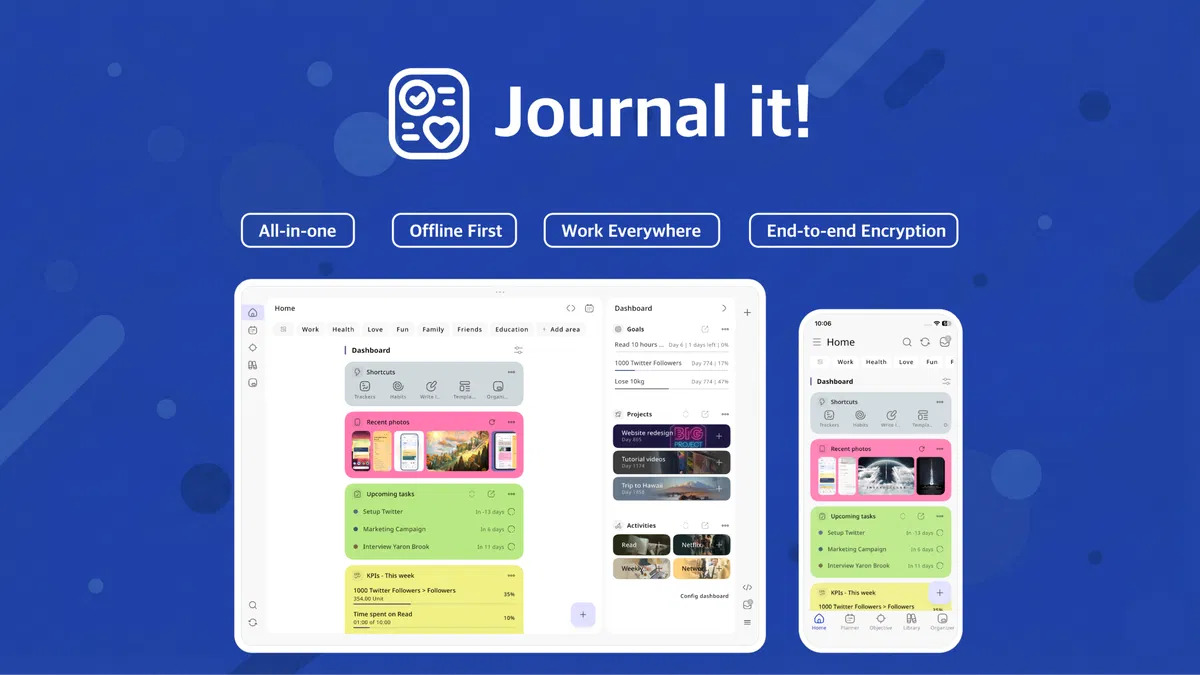
If you are reading this, you are probably exhausted by “app fatigue.” You likely have a notes app for quick ideas, a project manager for work, a calendar for meetings, a habit tracker for your health, and maybe a separate digital journal for your thoughts.
I was in the exact same boat. But recently, I tested Journal it!, an application that claims to be the unified “second brain” that finally connects your planner, notes, habits, and journals.
In this honest review, we are going to dive deep into what makes Journal it! different, where it falls short, and whether the current AppSumo lifetime deal is actually worth your hard-earned money.
⚡ Quick Answer (TL;DR)
Short on time? Here is the bottom line on Journal it!:
-
What it is: A comprehensive, all-in-one productivity app combining journaling, task management, time blocking, habit tracking, and note-taking.
-
Best for: Solopreneurs, freelancers, and individuals who want to consolidate multiple productivity apps into one private, offline-first ecosystem.
-
Not for: Large corporate teams looking for collaborative project management.
-
Standout Features: Relational database linking (connect a habit to a goal to a journal entry), end-to-end encryption, and a fully functional offline mode.
-
Pricing: Currently available on AppSumo for a one-time payment starting at $39 (replaces expensive monthly SaaS subscriptions).
Grab the Journal it! Lifetime Deal on AppSumo
The Problem: The Productivity App Trap
For a long time, my daily workflow was a fragmented mess. Between managing WordPress design projects, optimizing Facebook and Google Ads campaigns, and trying to keep my own blogs updated with fresh content, my brain was constantly fried.
I was logging client meetings in Google Calendar, tracking ad spend tasks in Todoist, writing blog outlines in Notion, and trying (and failing) to track my personal habits somewhere else. The cognitive load of constantly context-switching between five different apps was actually killing my productivity. Data was siloed. If an ad campaign gave me an idea for a new blog post, there was no easy way to link those thoughts together.
The solution wasn’t to work harder; it was to consolidate. That is where Journal it! comes into play.
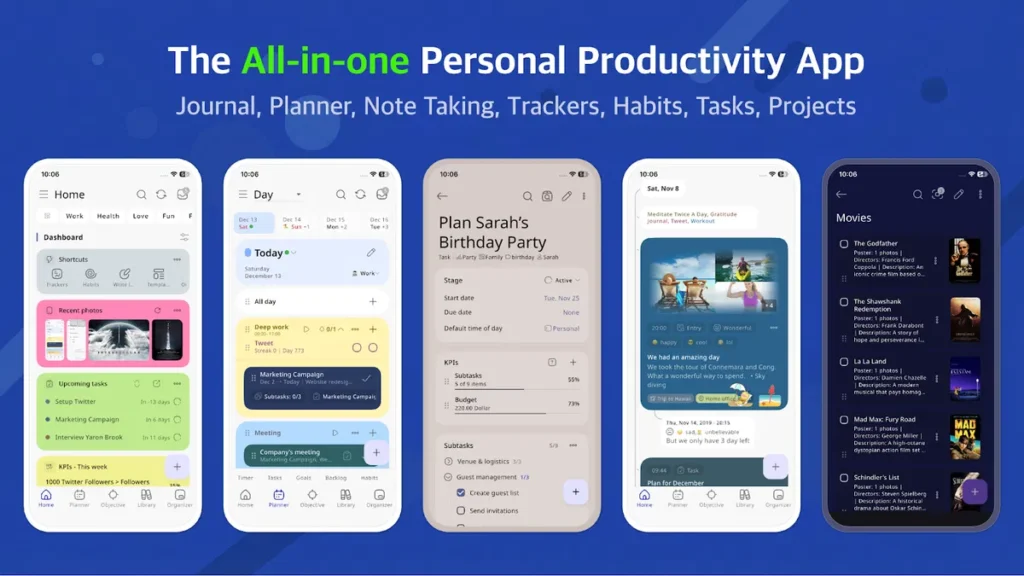
What is Journal it!?
At its core, Journal it! is a universal organizer. Unlike typical apps that treat your tasks, notes, and journal entries as separate entities, Journal it! uses a relational database.
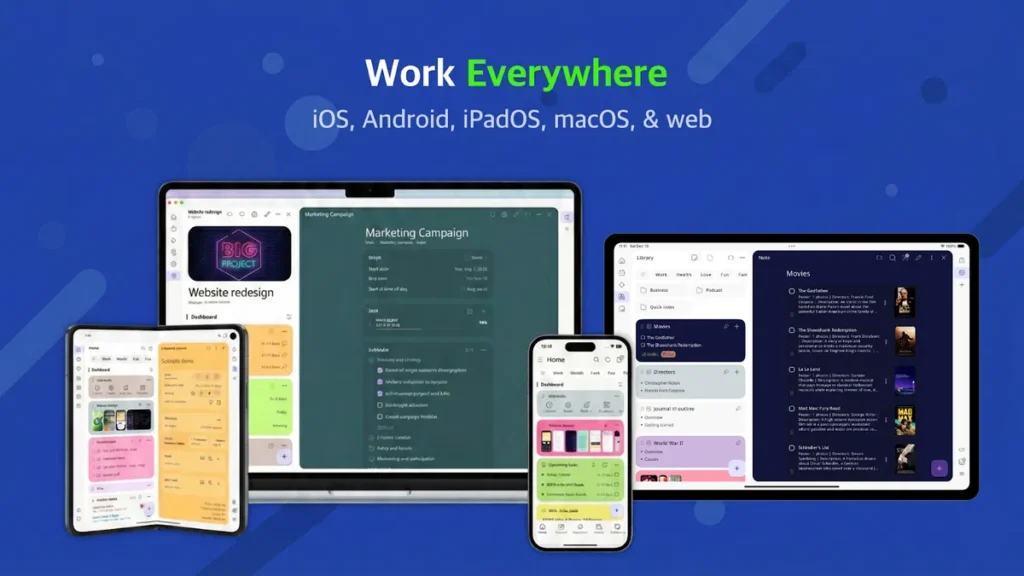
This means everything is connected. You can create a “Project” and link specific notes, daily tasks, habit trackers, and journal entries directly to it. It supports popular productivity methodologies right out of the box, including Getting Things Done (GTD), Bullet Journaling, and Time Blocking.
The “Smart Buyer” Tip:
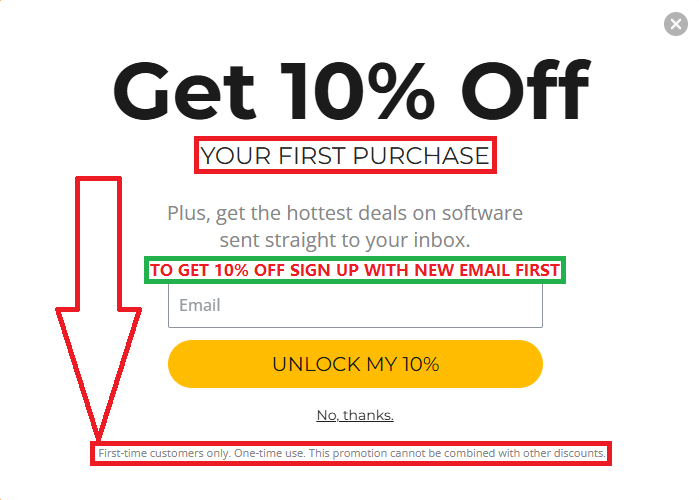
Want to shave an extra 10% off the lifetime price? AppSumo offers a welcome discount for first-time customers. If you’ve bought before, simply sign up with a new email address to trigger the 10% discount popup shown below. It’s the easiest way to stack savings on top of already huge deals!
🛠️ Deep Dive: Key Features
1. The Universal Organizer (Areas & Projects)
Instead of just a flat list of notes, you organize your life into “Areas” (e.g., Work, Health, Finances) and “Projects.” When you open a project, you see every task, note, and journal entry associated with it. It brings complete clarity to what needs to be done.
2. Time Blocking & Day Planner
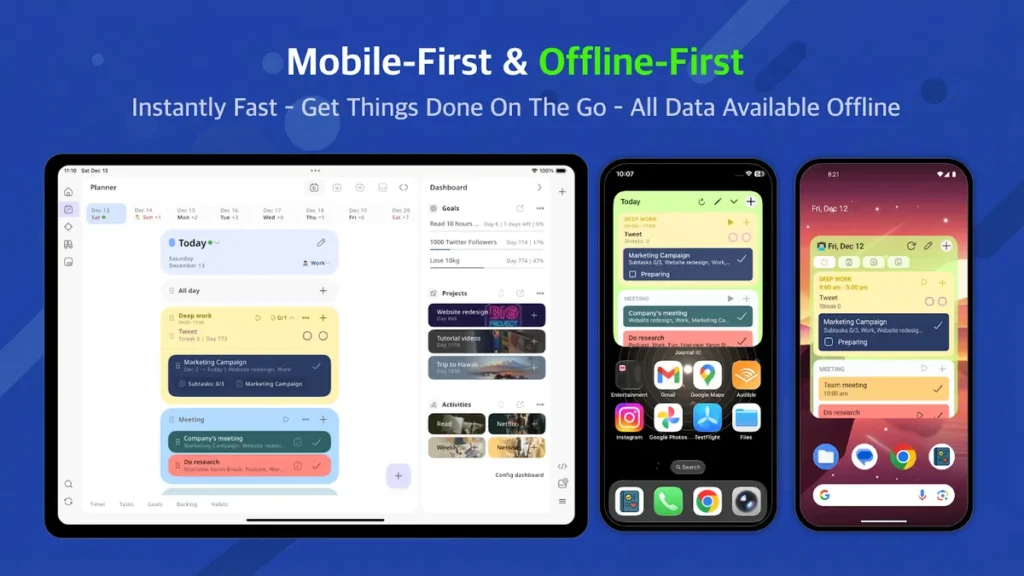
If you struggle with daily execution, the planner is a game-changer. You can drag and drop tasks into specific time blocks. It integrates seamlessly with Google Calendar and Apple Calendar, so your existing meetings show up right alongside your tasks. It even has a built-in Pomodoro timer.
3. Habit & Goal Tracking
You don’t need a separate app to track your water intake, reading goals, or daily workouts. The habit tracker is built directly into your daily dashboard.
4. Offline-First & End-to-End Encryption
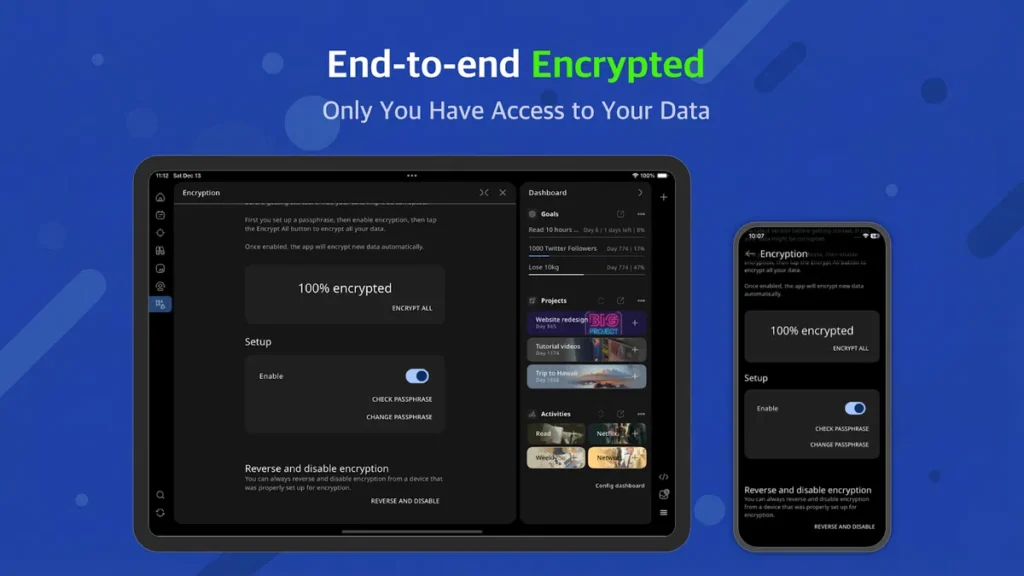
This is a massive differentiator. Most modern apps (like Notion) become useless if your Wi-Fi drops. Journal it! is an offline-first app. All your data lives on your device and syncs when you reconnect. Furthermore, you can enable end-to-end encryption, meaning not even the developers can read your private journals or business notes.
📊 Real-Life Case Study: Planning a New Website
To truly test the app, I used it exclusively to plan out a brand-new project: launching a niche blog focused on lifetime deals for digital products.
Here is how Journal it! handled the workflow:
-
The Brainstorm (Notes): I created an outline note for the website structure, niche categories, and initial domain ideas.
-
The Strategy (Goals & KPIs): I set a Goal to “Publish 20 Reviews in Month 1” and linked a KPI tracker to it.
-
The Execution (Tasks & Time Blocking): I broke the project down into actionable stages—WordPress installation, theme design, affiliate program sign-ups, and content writing. Each morning, I dragged these tasks into my time-blocked schedule.
-
The Reflection (Journal): At the end of the week, I used the journaling feature to quickly jot down what went well and where I got stuck with the site design.
Because everything was in one app, I never lost momentum searching for a lost link or a forgotten to-do item.
Grab the Journal it! Lifetime Deal on AppSumo
Pros and Cons
Every tool has its trade-offs. Here is my honest assessment to help you decide if it is a good fit.
| ✅ Pros | ❌ Cons |
| All-in-One Solution: Replaces 4-5 different premium apps. | Steep Learning Curve: It takes a few days to understand how the relational database and tagging system work. |
| Offline Access: Works flawlessly without internet on mobile, tablet, and desktop. | Login Limitations: Currently only supports Google and Apple sign-in (no plain email/password option yet). |
| Privacy Focused: End-to-end encryption keeps your data yours. | Not for Teams: Built strictly for personal productivity; lacks complex multi-user collaboration features. |
| One-Time Cost: The AppSumo deal means no more monthly subscription fatigue. | Mobile UI Density: Because it does so much, the mobile app can feel a bit cluttered initially. |
💰 Pricing & The AppSumo Lifetime Deal
Normally, premium productivity apps charge anywhere from $5 to $15 per month. Over a year, that is $60 to $180 just to keep your life organized. Officially Journal it!
Currently, Journal it! is running a Lifetime Deal on AppSumo. This means you pay once and own the premium software forever.
-
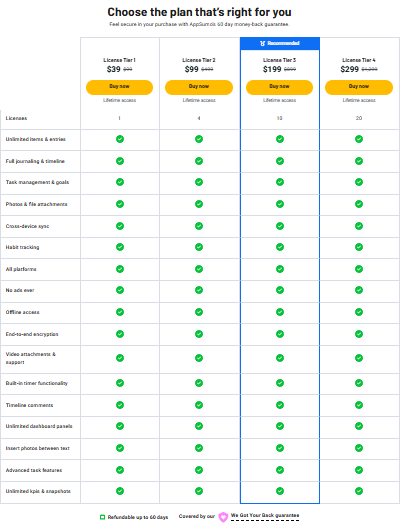
Tier 1 ($39): This is the sweet spot for almost everyone. For a single payment of $39, you get lifetime access, unlimited items, offline access, all platforms (Mac, Windows via Web, iOS, Android), and encryption. Note: There is no device limit on Tier 1. You can use it on your phone, tablet, and laptop simultaneously.
-
Tier 2 & Above ($99+): These tiers offer multiple licenses. You only need this if you want to buy access for your family members or friends.
💰 Journal it! AppSumo Pricing Tiers Explained: Which Plan is Right for You?
When you are juggling multiple client ad campaigns, website redesigns, and managing your own content calendar, the last thing you want is another monthly SaaS subscription draining your budget.
That is what makes this AppSumo Lifetime Deal (LTD) so compelling. You pay once and get access to the premium version of Journal it! forever.
One of the most refreshing things about this specific deal is that there are no paywalled features. Whether you buy the cheapest tier or the most expensive, you get access to every single premium feature. The only difference between the plans is the number of licenses (users) you get.
Grab the Journal it! Lifetime Deal on AppSumo
🌟 What is Included in EVERY Tier:
No matter which tier you choose, you unlock:
-
Unlimited Everything: Items, entries, dashboard panels, KPIs, and snapshots.
-
Full System Access: Task management, goal tracking, habit tracking, and full journaling with timelines.
-
Rich Media: Photos, file attachments, and video attachments with the ability to insert photos directly between text.
-
Rock-Solid Security: End-to-end encryption and a completely ad-free experience.
-
Work Anywhere: Offline access, cross-device sync, and availability across all platforms (iOS, Android, Mac, Windows/Web).
-
Productivity Boosters: Built-in timer functionality and advanced task features.
📊 The License Tiers Breakdown
Here is a quick comparison of the available lifetime plans to help you choose the best fit:
| Plan | One-Time Price | Number of Licenses | Who it is Best For |
| License Tier 1 | $39 | 1 License | Solo freelancers, bloggers, and individual professionals looking to organize their personal and work life. |
| License Tier 2 | $99 | 4 Licenses | Small agencies, couples, or families who want to share the productivity ecosystem. |
| License Tier 3 (Recommended) | $199 | 10 Licenses | Small to medium teams or project managers who want to onboard a group of collaborators. |
| License Tier 4 | $299 | 20 Licenses | Larger organizations, or agency owners who want to gift premium licenses to their top clients as a perk. |
🛡️ The “Zero Risk” Factor
If you are on the fence about whether this complex, relational database system will fit your specific workflow, you don’t have to guess.
AppSumo includes their ironclad 60-day money-back guarantee. You have two full months to integrate Journal it! into your daily routine. Set up your projects, track your habits, and build your digital brain. If you find it doesn’t click with how you work, you can get a full refund with a single click—no questions asked.
My Recommendation: For 95% of people reading this, License Tier 1 ($39) is an absolute no-brainer. For less than the cost of a few months of Notion or Todoist premium, you secure a lifelong organizational system.
The $39 Tier 1 is an absolute steal. If you use it to replace just one $5/month habit tracker or task app, it pays for itself in less than 8 months.
🎯 Who Should Buy This?
Get Journal it! if:
-
You are a freelancer, blogger, or digital marketer juggling multiple projects, clients, and personal goals.
-
You are tired of paying monthly subscriptions for fragmented apps like Todoist, Day One, and Habitica.
-
You value privacy and want a system that works completely offline.
Skip Journal it! if:
-
You need to manage a team of 5+ people and assign tasks to different users (stick to Asana, ClickUp, or Monday.com).
-
You want an ultra-simple, bare-bones notepad. Journal it! requires a willingness to learn its interconnected system.
🏆 Final Verdict & Personal Recommendation
Overall Rating: 4.6 / 5 Stars ⭐⭐⭐⭐⭐
Journal it! is a powerhouse. It is clear that the developer understands how human productivity actually works—our habits, tasks, and notes do not exist in vacuums; they affect one another.
While the learning curve is real, the payoff of having a single, unified “second brain” that operates offline and respects your privacy is massive. The fact that you can grab the Pro version on AppSumo for a one-time fee of $39 makes it one of the smartest investments you can make for your digital workflow this year.
Grab the Journal it! Lifetime Deal on AppSumo
❓ Frequently Asked Questions (FAQ)
Does Tier 1 limit how many devices I can use? No! A Tier 1 AppSumo license allows you to use your account across as many of your personal devices as you want (iPhone, iPad, Mac, Windows Web, Android) with seamless syncing.
Do I need an internet connection to use it? No. Journal it! is built with an offline-first architecture. You can write journals, check off tasks, and plan your day on an airplane or in a dead zone. It will automatically sync to your other devices once you are back online.
Can I export my data if I decide to leave? Yes. You have complete ownership of your data. You can easily export everything as a ZIP file at any time.
Is there a desktop app for Windows? Currently, Windows and Linux are supported via a highly capable Web App, while macOS has a dedicated native app. The Web App works wonderfully and syncs instantly with your mobile devices.
Does it have AI features? As of early 2026, it does not force AI features on you, which many users appreciate for privacy reasons. However, the developer has noted that optional AI integrations are planned for the future roadmap.
Grab the Journal it! Lifetime Deal on AppSumo
New to AppSumo (or have a spare email)? You can get an additional 10% discount on your purchase today. Just click the link below and look for the “Get 10% Off” popup.
Note: This applies to your “first” purchase with a new email account!