As a podcaster who used to spend hours (and way too much money) trying to make my audio “social media ready,” I finally feel like I’ve found my secret weapon. For the longest time, my episodes would just sit on Spotify, invisible to the “scroll-heavy” crowds on Instagram and TikTok.
I’ve been putting SoundMadeSeen through its paces for the last few weeks, and here is my honest take on whether it’s actually worth your time and money.
The “Invisible Audio” Problem
The hardest part of being a creator today isn’t recording the audio—it’s promoting it. You can’t just post a link and hope for the best. You need visuals. I used to bounce between three different apps just to get a decent audiogram with captions.
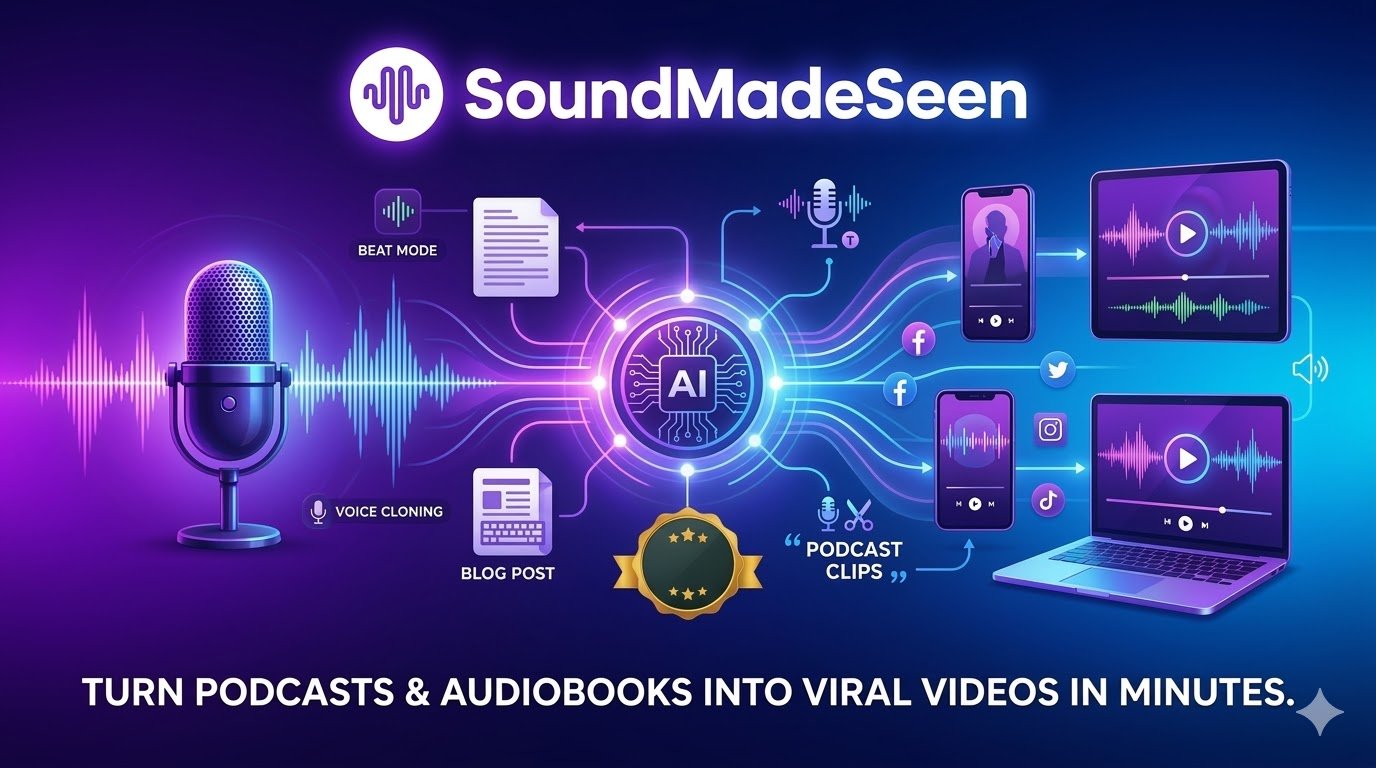
SoundMadeSeen is the first tool I’ve found that actually treats the audio as a “seed” for a whole forest of content. It doesn’t just make a video; it writes the blog, finds the clips, and even clones my voice if I need to fix a line in post-production.
How It Works (My Workflow)
I don’t have time for complex video editing. Here is how I use this tool to turn one 20-minute recording into a week of content:
- The Upload: I drop my MP3 or even an MP4 video (it extracts the audio automatically).
- AI Clip Selection: This is the magic part. Instead of re-listening to my whole show, the AI “Analyzer” flags the most interesting highlights. I just pick the best one.
- The Design Studio: I pick a template, add my branding, and turn on the “Beat Mode” if there’s background music. It automatically syncs pulses and glows to the rhythm.
- The Content Dump: While the video renders, I grab the AI-generated show notes and blog post. It’s about 90% ready to publish right out of the box.
Key Features: What Makes It Different?
1. The Video Designer & “Beat Mode”
2. The AI Audio Analyser
3. All-in-One Content Suite
4. Professional Voice Cloning & TTS
Deep Dive: SoundMadeSeen Core Features
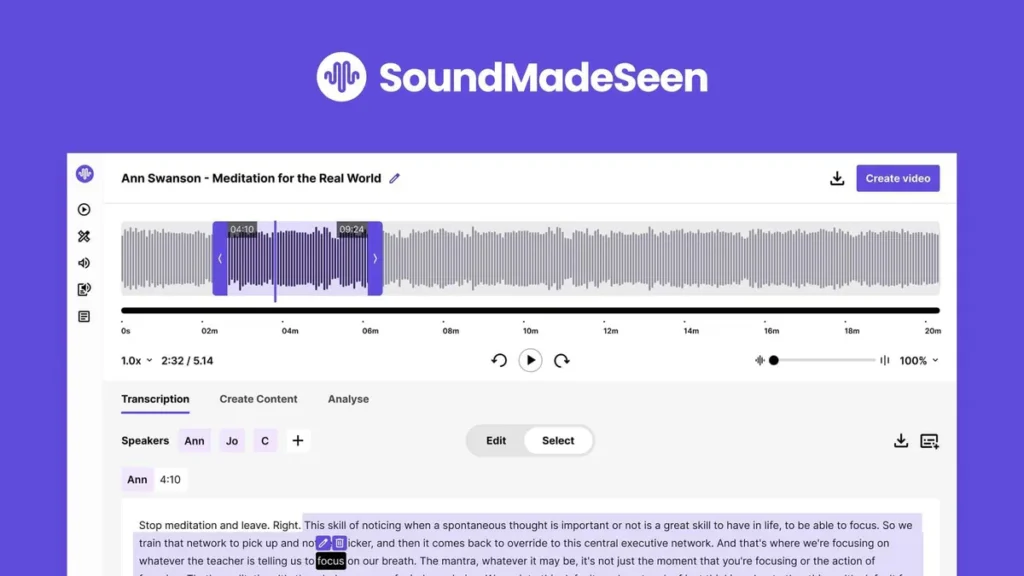
To truly understand why this tool is a “Descript Killer” for social media marketing, we need to look under the hood at its AI-driven features.
1. High-Precision Audio Transcriber
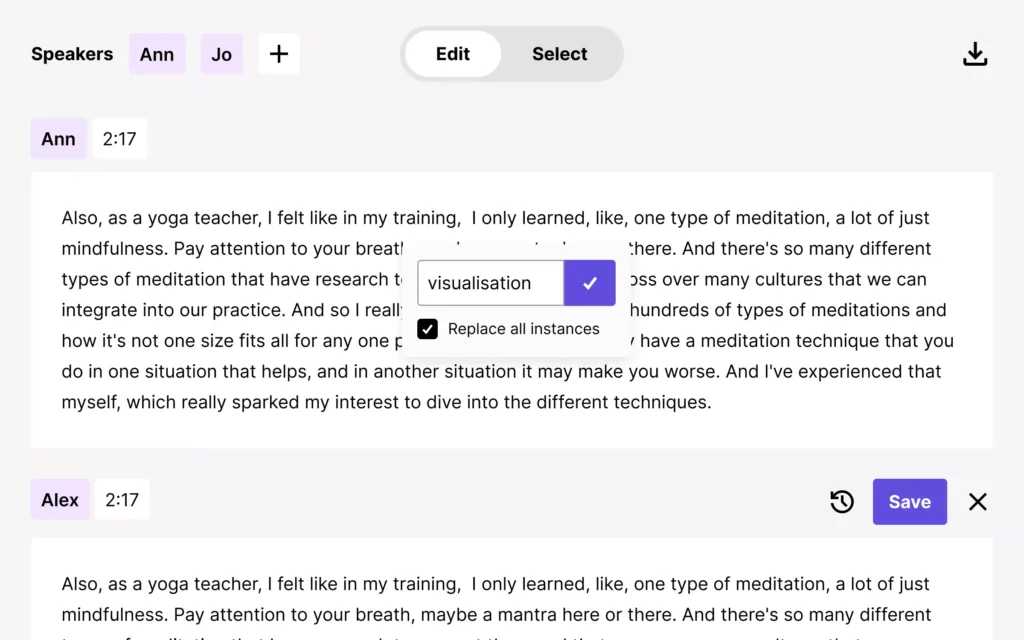
The foundation of any good video is the script. SoundMadeSeen generates a full, time-stamped transcription of your audio in minutes.
- Speaker Identification: Automatically detects different voices (e.g., “Ann” and “Jo”) to keep your subtitles organized.
- Inline Editing: Fix typos or “ums” directly in the transcript. These changes sync instantly with your video subtitles.
- Global Search & Replace: Change a specific word across your entire project with a single click—perfect for branding or name corrections.
2. The AI “Content Analyser” & Hook Finder
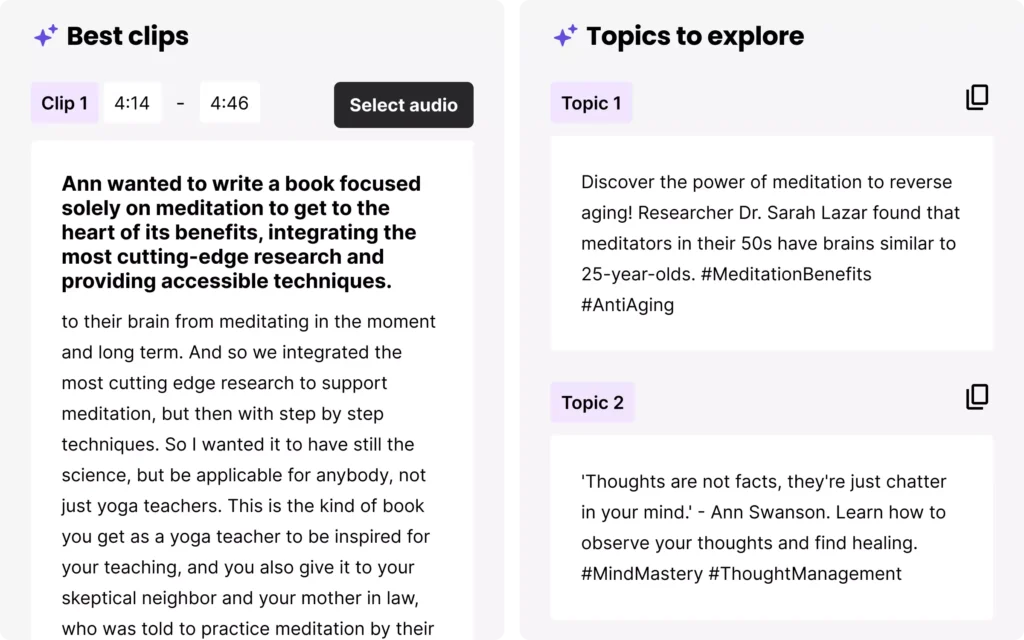
Don’t waste time re-listening to hours of audio. The Analyser does the heavy lifting:
- Best Clips: It automatically identifies high-impact segments (like a 30-second “hook”) that are perfect for YouTube Shorts or Reels.
- Topic Explorer: The AI suggests trending topics and hashtags (e.g., #MindMastery, #ThoughtManagement) based on your conversation, so your content is ready for the algorithm.
3. Professional Video Designer & Editor
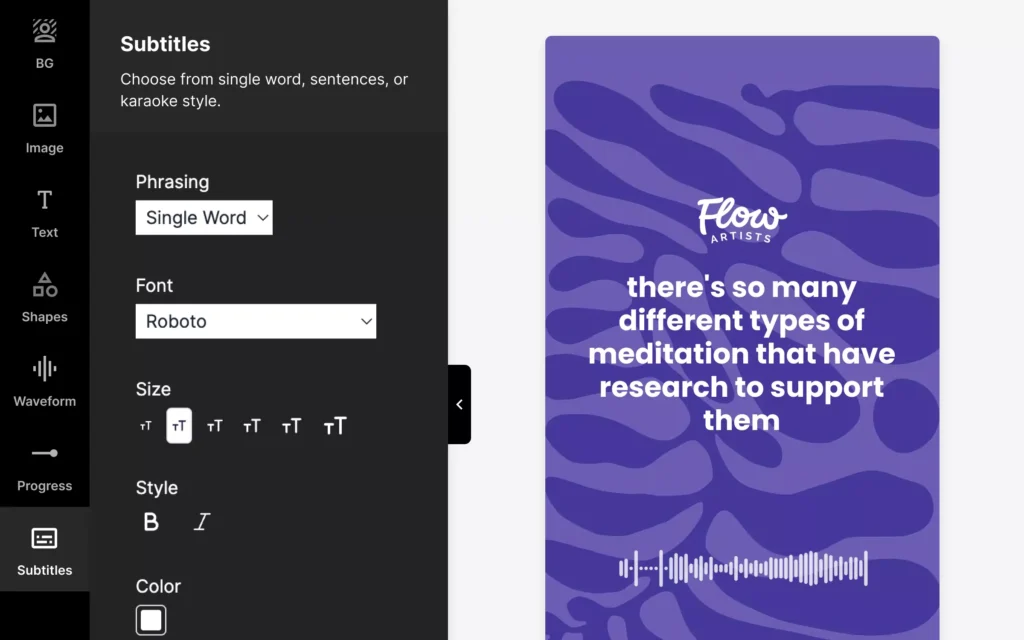
Forget complex layers in Premiere Pro. The Design Editor is built for speed:
- Customizable Subtitles: Choose from “Single Word,” “Sentence,” or “Karaoke” styles to keep viewers engaged.
- Dynamic Waveforms: Add reactive audio waves that move in real-time with your voice.
- Branding: Drag and drop your logos, shapes, and progress bars to make the video yours.
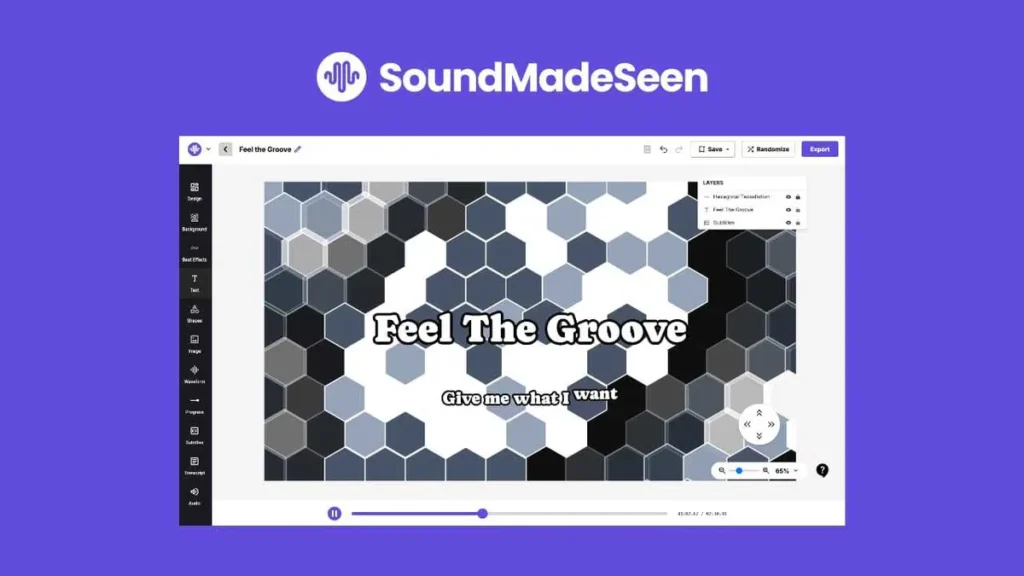
4. Advanced “Beat Mode”
For music producers and lyric video creators, Beat Mode is the standout feature. It analyzes the BPM and frequency of your audio to sync visual effects—like pulses, glows, and hexagon tessellations—automatically to the rhythm.
5. Multi-Input Upload Options
Whether you have a raw file or a live stream, getting content into the platform is seamless:
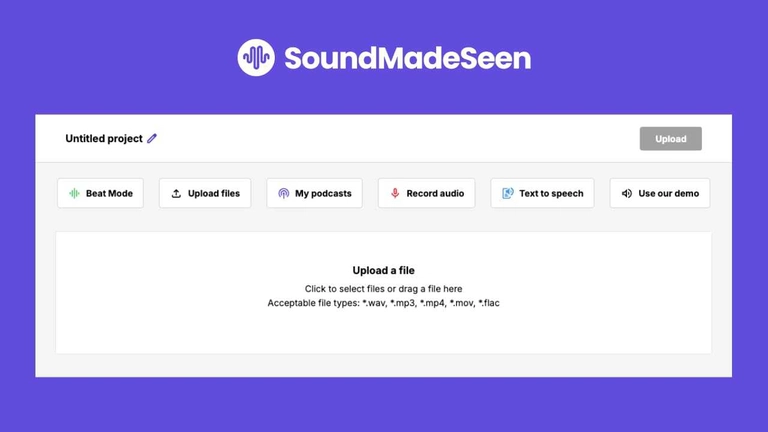
- Supported Files: Upload
.wav,.mp3,.mp4,.mov, and.flac. - Direct Sources: Pull audio directly from your existing podcasts, record live in the app, or use Text-to-Speech to generate a voice from a script.
What Exactly is SoundMadeSeen?
At its core, SoundMadeSeen is a multimodal AI workstation. It doesn’t just “make a video”; it digests your audio and spits out a full marketing kit: transcripts, blog posts, social media captions, and high-end visualizers.
Who is this for?
- Podcasters: To create “Scroll-Stopping” audiograms for Instagram, TikTok, and YouTube Shorts.
- Musicians & Producers: The “Beat Mode” is a game-changer for lyric videos and beat showcases.
- Authors & Coaches: To turn snippets of audiobooks or coaching calls into educational video content.
- Agencies: To scale content production for clients without hiring a full-time video editor.
The Pros & ❌ The Cons
The Pros
- The Workflow Speed: You can go from a raw MP3 to a fully captioned, branded video in under 5 minutes.
- AI Content Suite: Most competitors just give you the video. SoundMadeSeen gives you the blog post and the social copy as well.
- Beat Mode: Unlike static visualizers, this actually syncs effects (glows, pulses) to the rhythm of the audio.
- Voice Cloning: The ability to “type” corrections in your own voice is a massive time-saver for minor recording errors.
- Generous Lifetime Deal: Getting lifetime access via AppSumo for the price of a few months of a competitor is an unbeatable ROI.
The Cons
- UI Learning Curve: The design editor is powerful, but it can feel a bit crowded on smaller screens.
- Transcription Nuance: Like all AI, it struggles with very heavy accents or technical jargon, requiring about 5–10% manual cleanup.
- Image Credits: On lower tiers, you have to be strategic with the AI image generator as credits are limited.
SoundMadeSeen vs. The Competition
How does it stack up against the “Big Two” in the industry?
| Feature | SoundMadeSeen | Descript | Otter.ai |
| Primary Focus | Visual Content Marketing | Narrative Video Editing | Meeting Notes / Transcripts |
| Visualizers | High-end / Beat Mode | Basic | None |
| AI Text Tools | Full Blog/Social Suite | Basic Show Notes | Summaries only |
| Pricing | Lifetime Deal Available | Monthly Subscription | Monthly Subscription |
| Ease of Use | High (Template-based) | Medium (High Learning Curve) | Very High |
SoundMadeSeen Full Review: 2026 Edition
Stop Spending Hours on Audiograms—Let AI Do the Heavy Lifting
As a creator, your “ROI” isn’t just about money; it’s about time. If you spend three hours editing a one-minute clip for Instagram, you’re losing money. SoundMadeSeen was built specifically to solve this “time-leak.”
Below is a deep dive into the features and, more importantly, a detailed breakdown of the official vs. AppSumo pricing to help you decide which path is cheaper for your specific needs.
The Core “Power” Features
Before we talk numbers, let’s look at what you’re actually buying:
- The AI Content Suite: This is more than a video maker. It creates a time-stamped transcript, a full blog post, and social media captions from one audio file.
- Dynamic Visualizers (Beat Mode): Most tools give you a boring, static wave. “Beat Mode” analyzes your audio’s frequencies and makes the background pulse, glow, and zoom to the rhythm.
- Voice Cloning & TTS: Use OpenAI-powered voices or clone your own voice to add extra narration without re-recording.
- Content Analyser: This AI-driven tool scans your long-form audio to pick out the “best parts”—saving you from re-listening to your own 60-minute podcast just to find a 30-second hook.
Official Pricing Plans (Subscription Model)
The official site offers flexibility with a 14-day free trial. If you prefer a monthly “Pay-as-you-go” style without a large upfront cost, here are the tiers as of 2026:
| Plan | Price (Monthly) | Best For | Top Features |
| Creative | $9.95 | Hobbyists | 120 min video, 120 min transcription, 500 image credits. |
| Influencer | $14.95 | Serious Creators | 300 min video, Unlimited transcription, 1,000 image credits, 1 Voice Clone. |
| Business | $25.95 | Agencies & Pros | 500 min video, Unlimited transcription, 1,500 image credits, 3 Voice Clones, API Access. |
Note: Paying Annually saves you 20%, but you’re still tied to a recurring bill.
The AppSumo Lifetime Deal (LTD) Details
This is where the real value lies for long-term creators. Instead of paying every month, you pay once and own the software forever.
Why the LTD is a “Cheat Code”
If you look at the Influencer Plan ($14.95/mo), you spend $179.40 every year. With the AppSumo Plan 2 ($78), you pay less than half of that once and never pay again.
| AppSumo Plan | One-Time Cost | Video Mins / Mo | Transcription Mins / Mo | Storage Duration |
| Plan 1 | $39 | 100 min | 100 min | 90 days |
| Plan 2 | $78 | 250 min | 250 min | 9 months |
| Plan 3 | $117 | 500 min | 500 min | 12 months |
| Plan 4 | $156 | 800 min | 800 min | 12 months |
Critical Differences in AppSumo Plans:
- Voice Cloning: While the official “Influencer” plan includes 1 voice clone, most AppSumo tiers focus heavily on video minutes and image credits.
- Team Access: Plan 3 supports 3 team members; Plan 4 supports 5.
- API Access: Included in Plan 4—perfect for developers or those looking to automate their workflow via Zapier.
The Verdict: Which Pricing Should You Choose?
1. Choose the Official Monthly Subscription IF:
- You only have a one-time project (like launching a single audiobook).
- You need Unlimited Transcription minutes right now (available on the $14.95/mo Influencer plan).
2. Choose the AppSumo Lifetime Deal IF:
- You plan to create content for more than 5 months. Plan 2 ($78) pays for itself in just five months of the Creative subscription.
- You hate subscriptions. The peace of mind of owning your tools without a “monthly tax” is huge for small business owners.
- You want more video minutes. Plan 4 ($156) gives you 800 minutes of video per month. To get that much on the official site, you’d be looking at a custom enterprise plan costing significantly more.
Pricing: Official vs. AppSumo Lifetime Deal
This is the part you shouldn’t ignore. If you go through the official site, the “Influencer” plan costs about $180 per year.
However, the AppSumo Lifetime Deal changes the game:
| Plan | Price (One-Time) | Best For… |
| Plan 1 | $39 | Hobbyists (100 mins/month) |
| Plan 2 | $78 | Consistent Creators (250 mins/month) |
| Plan 4 | $156 | Power Users (800 mins/month + Voice Cloning + API) |
Why Plan 2 is the “Sweet Spot”: For just $78, you get 250 minutes of video generation every month for life. That’s roughly 10 full podcast episodes or 50+ short-form clips monthly. You break even in just 5 months.
Final Rating: ⭐⭐⭐⭐⭐ (4.9/5)
If you are serious about growing your audience in 2026, you cannot rely on audio alone. SoundMadeSeen is the most efficient and cost-effective bridge between your microphone and your audience’s eyes.
Recommendation: Grab the AppSumo Lifetime Deal while it’s still live. With a 60-day money-back guarantee, there is literally zero risk to see if it transforms your workflow like it did mine.
From My Personal Experience:
| Category | Score | My Thoughts |
| Ease of Use | 4.5/5 | Very intuitive, though the design editor has a tiny learning curve. |
| AI Accuracy | 4.7/5 | The transcription is surprisingly clean, even with my accent. |
| Visual Quality | 5.0/5 | The waveforms and “Beat Mode” effects are top-tier. |
| Value for Money | 5.0/5 | Especially with the lifetime deal, it’s a steal. |