Businesses are under more pressure than ever to do more with less.
You need content, customer support, research, planning, operations, and follow-up tasks handled quickly. But hiring more staff is expensive, managing freelancers takes time, and most AI tools still feel like disconnected point solutions.
That is why TeamPal is getting attention.
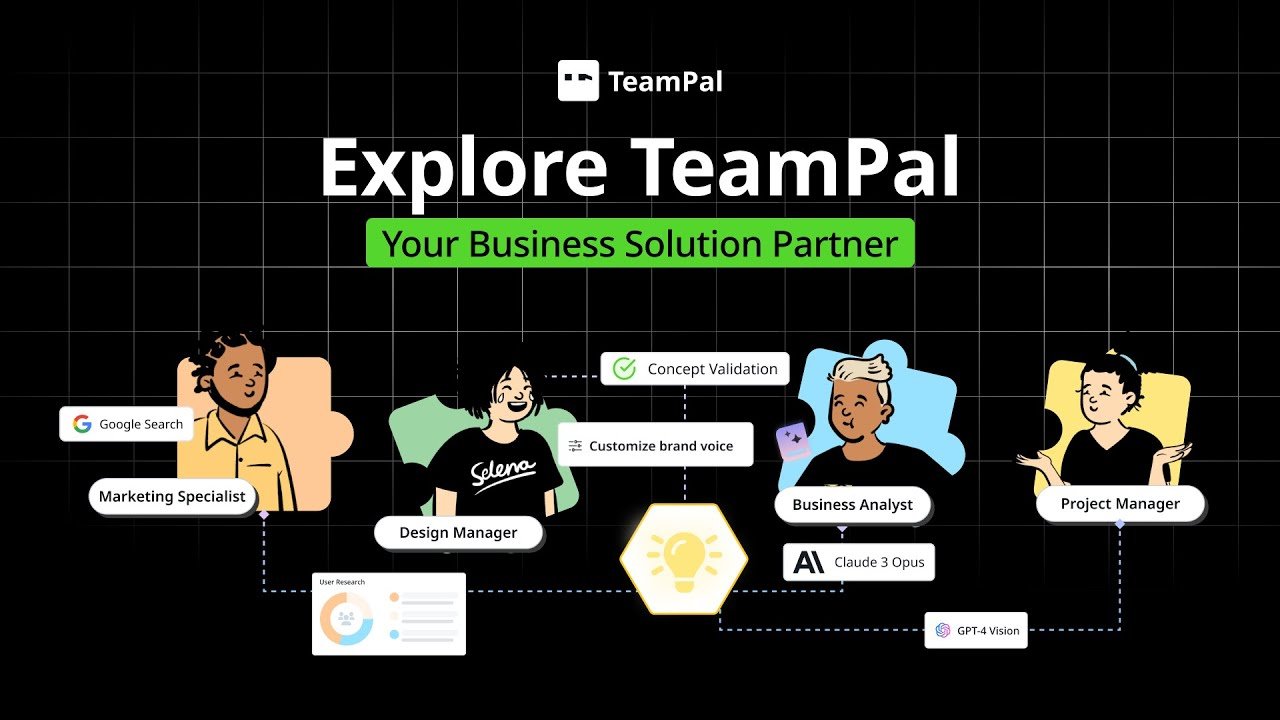
Instead of giving you one generic AI chatbot, TeamPal helps you build a custom no-code AI workforce trained on your business, your brand voice, and your workflows.
So, is TeamPal worth it?
After comparing the official product details and the AppSumo offer, the short answer is: yes, for the right type of buyer.
If you are a founder, agency owner, consultant, virtual assistant, or part of a small team that wants more than simple AI writing, TeamPal offers a more operational approach to AI. It is designed for businesses that want multiple role-based AI agents working across real tasks and workflows.
In this TeamPal review, I will cover:
- what TeamPal is
- how it works
- key features
- official pricing vs AppSumo pricing
- pros and cons
- who it is best for
- whether it is worth buying
What Is TeamPal?
TeamPal is a no-code AI platform that lets you build and manage your own team of AI assistants.
But unlike many AI tools that stop at “chat with AI,” TeamPal is built around specialized role-based AI agents.
That means you can create agents for functions like:
- marketing
- sales
- HR
- finance
- operations
- research
- support
- internal knowledge management
Instead of forcing every task through one assistant, TeamPal helps you build multiple AI workers that can support different parts of your business.
In practical terms, TeamPal aims to help you create AI teammates that can:
- answer questions using your own company knowledge
- follow your brand voice
- support internal processes
- automate repeatable work
- help your team collaborate
- publish and deploy agents for broader use
That makes it more than a typical AI writing app.
TeamPal Review: Why It Feels Different From Other AI Tools
Most AI tools are centered around a single assistant.
TeamPal is different because it is built around the idea of an AI workforce.
That may sound like a marketing phrase, but it reflects how the platform is structured. Instead of one chatbot, you can build multiple agents, assign them specific roles, customize their tasks, and train them using your business context.
With TeamPal, you can:
- build a personalized AI workspace from docs, URLs, and business data
- create or customize AI agents for different roles
- train agents using internal knowledge
- set brand voice and communication style
- collaborate with team members in shared workspaces
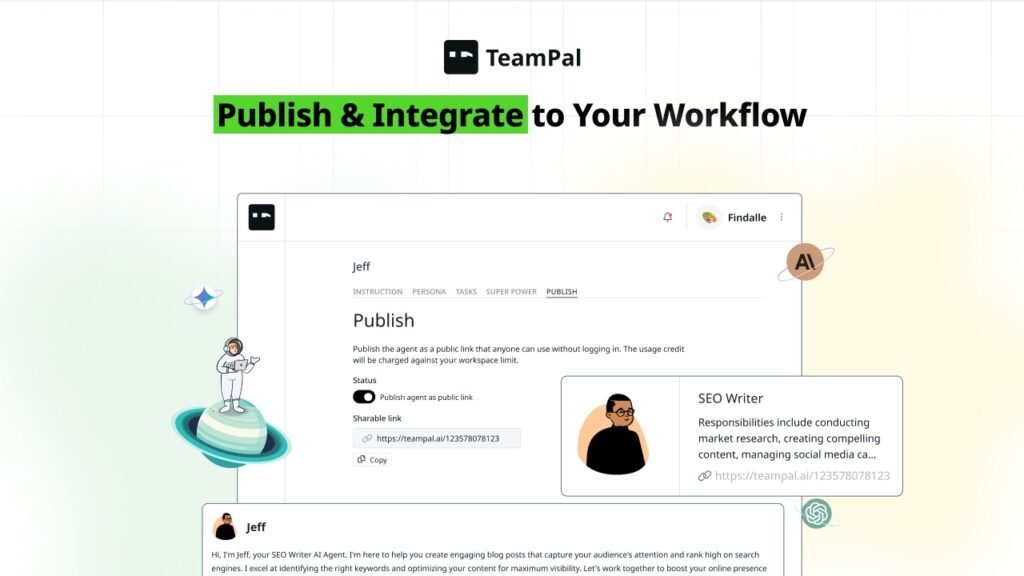
- publish agents through public links
- use AI in workflows and business operations
This matters because real businesses do not need one generic AI assistant for everything.
They need specialized support across departments and tasks.
That is where TeamPal becomes far more useful than a simple chatbot.
Key Features of TeamPal
1. No-code AI workforce builder
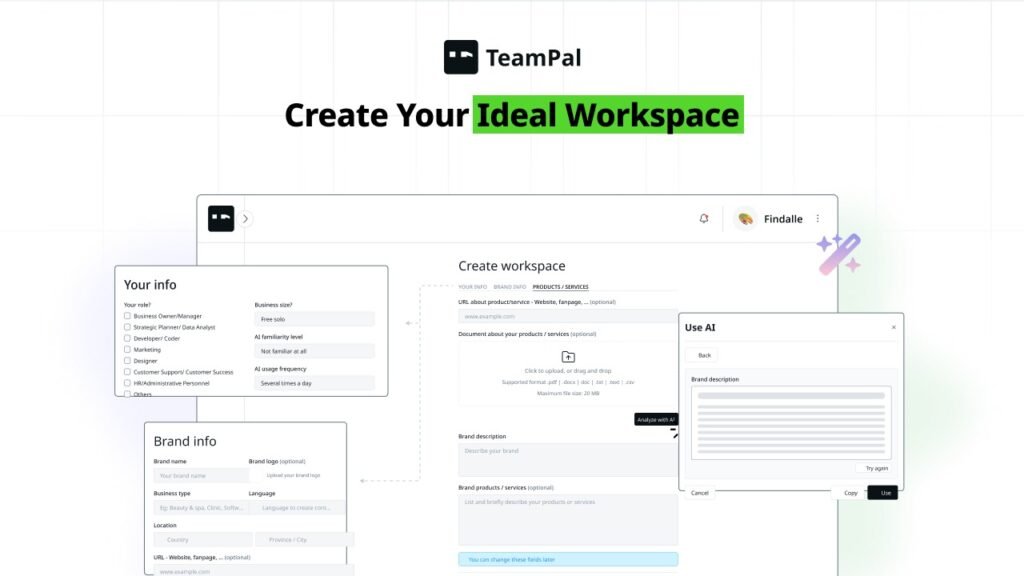
TeamPal’s biggest selling point is that it lets you create AI agents without coding.
You can start from scratch or use templates, then customize agents based on role, language, responsibilities, and business needs.
This lowers the barrier to adoption for non-technical users.
If you are a founder, marketer, agency owner, or operator who wants AI support without hiring a developer, this is one of TeamPal’s strongest advantages.
2. Custom knowledge base training
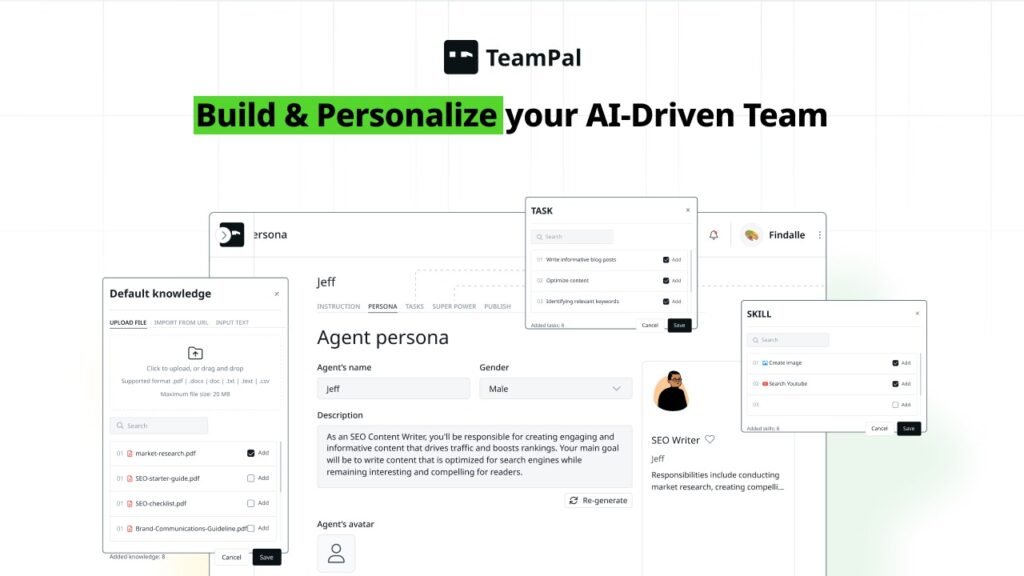
One of the most important TeamPal features is the ability to train agents using your own files, links, and business information.
This allows the platform to generate more tailored outputs based on your:
- services
- product information
- internal docs
- SOPs
- company context
- existing knowledge base
That is a major step up from using generic AI with generic answers.
3. Brand voice control
A lot of AI platforms can generate content.
Far fewer can help maintain consistency.
TeamPal includes brand voice controls so AI agents can communicate in a way that matches your company tone and messaging. This is especially useful for agencies, startups, consultants, and support teams that care about consistency.
4. Multiple AI model support
TeamPal supports multiple large language models, giving users more flexibility for different tasks.
That is important because not every AI model performs equally well in every situation. Some are better for writing, others for reasoning, speed, or structured outputs.
This gives TeamPal more long-term usefulness than tools limited to one provider.
5. Workflow and automation features
TeamPal is not only for chatting with AI agents.
It also moves into workflow automation, which makes it more relevant for actual business operations. Instead of just generating content, the platform can help create structured execution flows for repeatable tasks.
That makes TeamPal more than a content tool. It starts becoming an operations tool.
6. Team collaboration
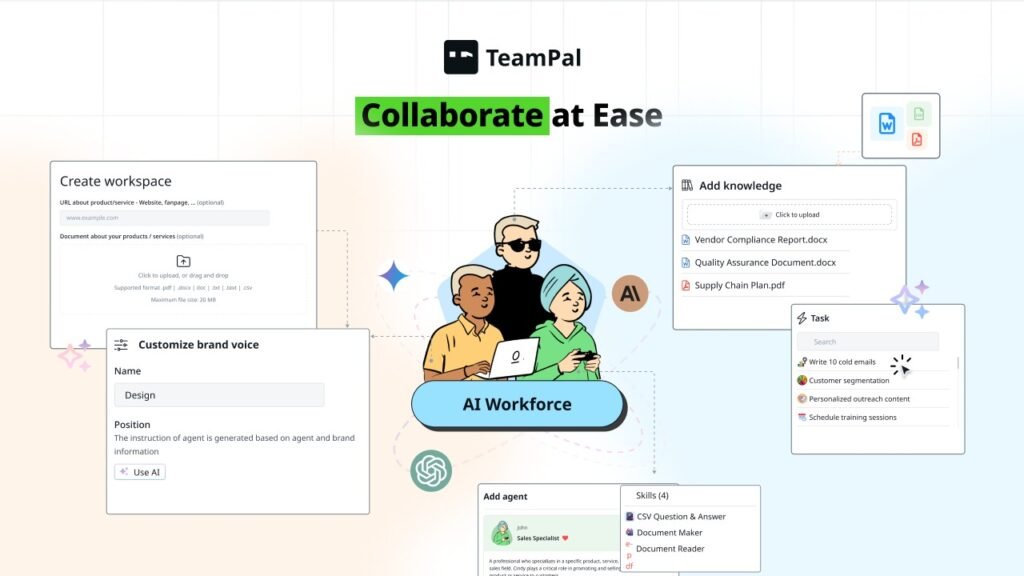
Unlike many AI tools designed for solo use, TeamPal supports team collaboration inside shared workspaces.
This includes member access, shared setup, and broader agent usage inside a business environment.
That makes it a more practical option for small teams and agencies.
7. Agent templates and built-in tasks
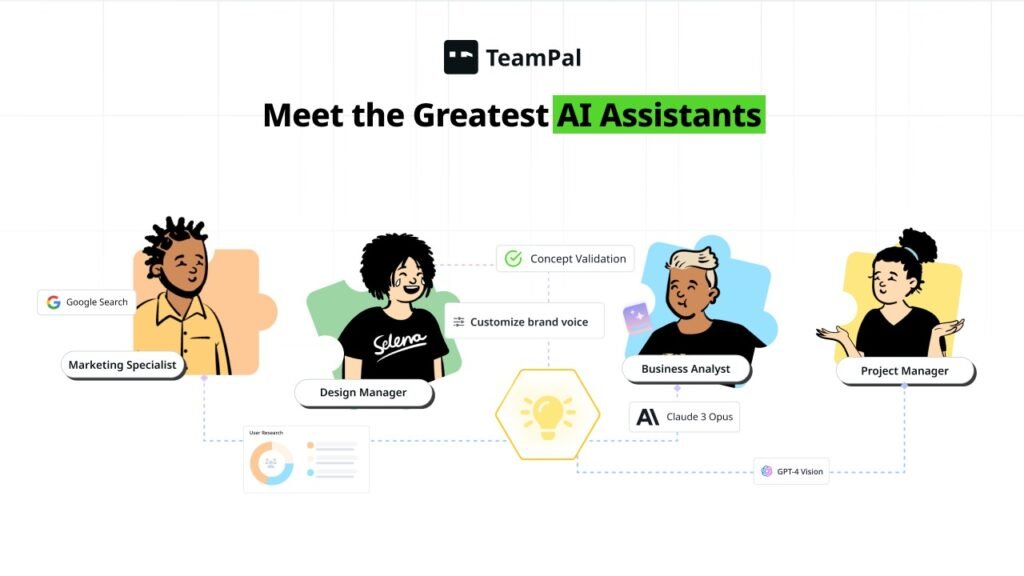
Another helpful aspect of TeamPal is that it is positioned around a large library of prebuilt agents and optimized task structures.
This helps reduce setup time.
Most business users do not want to build every AI system from zero. They want a good starting point and then the ability to customize it.
TeamPal appears to support that model well.
How TeamPal Works
The setup is fairly simple in concept.
Step 1: Create your workspace
You upload files, share URLs, and add information about your business so TeamPal can understand your context.
Step 2: Build your AI agents
You can choose ready-made roles or create custom agents based on what your business needs.
Step 3: Train agents on your business
This is where TeamPal becomes truly useful. Your AI workforce learns from your docs, knowledge, tone, and workflows.
Step 4: Collaborate with your team
If you work with others, you can build and manage agents together inside a shared workspace.
Step 5: Publish and deploy
You can publish agents and use them internally or externally for support, training, automation, or task execution.
Who Should Use TeamPal?
Agencies
Agencies can use TeamPal to build repeatable AI systems for content planning, research, copywriting, strategy support, campaign execution, and client work.
This is especially useful if you want to reduce repetitive onboarding and delivery tasks.
Small businesses
If you are wearing too many hats, TeamPal can help reduce the load by supporting research, planning, support, content, and operational processes without increasing payroll immediately.
Solopreneurs and founders
If you want specialized AI help across different business functions, TeamPal is a much better fit than a one-chatbot workflow.
Virtual assistants
VAs can use TeamPal to deliver more work, standardize services, and offer AI-assisted support without needing technical skills.
Teams with existing documentation
Businesses that already have SOPs, website pages, product knowledge, FAQs, and internal process docs will get more value because TeamPal can use that information to produce more relevant outputs.
Who Should Not Buy TeamPal?
TeamPal may not be the best fit if:
- you only want a simple AI writing tool
- you rarely use AI in your business
- you do not have repeatable workflows
- you do not want to spend time setting up agents or knowledge bases
- you prefer a very simple one-chatbot experience
In other words, TeamPal is best for buyers who want systems, not just random outputs.
TeamPal Pricing: Official Site vs AppSumo Lifetime Deal
One of the most important parts of this TeamPal review is pricing.
Because TeamPal currently offers two different ways to buy.
Official TeamPal pricing
On the official website, TeamPal offers:
- 7-day free trial
- Basic: $19/month
- Pro: $39/month
- Advanced: $89/month
These plans vary based on:
- agent limits
- published agents
- monthly credits
- knowledge base size
- upload limits
- team seats
Examples include:
- Basic: 25 total agents and 1,000 monthly credits
- Pro: 30 total agents, 5,000 monthly credits, and 3 member seats
- Advanced: unlimited agents and published agents, 20,000 monthly credits, and 10 member seats
The official pricing also includes add-ons for credits and extra member seats.
AppSumo TeamPal lifetime deal
For buyers who prefer a one-time payment instead of recurring monthly cost, TeamPal is also available as an AppSumo lifetime deal.
Available tiers include:
- Tier 1: $69 lifetime
- Tier 2: $199 lifetime
- Tier 3: $349 lifetime
- Tier 4: $569 lifetime
This can be much more attractive for long-term ROI, especially if you already know you will use TeamPal regularly.
AppSumo also adds extra purchase confidence through:
- 60-day money-back guarantee
- marketplace buyer protection
TeamPal AppSumo Lifetime Deals Breakdown
Tier 1
Best for solo users testing the platform.
Includes:
- 10 GB total knowledge size
- 25 total agents
- 5 published agents
- 1,000 AI credits per month
Tier 2
Better for small teams.
Includes:
- 50 GB knowledge size
- 30 total agents
- 10 published agents
- 5,000 AI credits per month
- 3 member seats
Tier 3 and Tier 4
Best for businesses that want to scale with AI across multiple functions.
These higher tiers are more suitable for agencies and companies that want broader operational use.
Is TeamPal Easy to Use?
From its overall structure, TeamPal appears intentionally beginner-friendly.
Its no-code interface, templates, visual setup flow, and role-based agent system make it easier to use than building your own AI stack manually.
My view is this:
- easier than combining multiple AI apps yourself
- more structured than relying on prompt engineering alone
- still requires some setup thinking if you want great results
That is normal for any business-focused platform.
The upside is that the setup work can lead to more reusable and scalable output later.
TeamPal Pros and Cons
Pros
- lets you build a true AI workforce, not just one chatbot
- no-code setup makes it accessible to non-technical users
- supports custom knowledge bases
- brand voice controls improve consistency
- workflow support increases business value
- team collaboration makes it more practical for agencies and small teams
- official pricing starts at a reasonable monthly entry point
- AppSumo lifetime deal can provide strong long-term value
Cons
- credit-based usage means you need to monitor how much you use
- setup takes some planning if you want the best results
- may feel excessive if you only want basic AI writing
- some users may need time to structure agents and workflows effectively
Is TeamPal Worth It?
Yes, TeamPal is worth it for the right type of user.
If you are trying to scale work without immediately hiring more people, TeamPal gives you a practical way to build role-based AI support around your business.
Its strongest value comes from helping you create:
- repeatable systems
- business-trained AI agents
- brand-consistent outputs
- collaborative workspaces
- workflow-driven execution
If all you want is a simple AI writer, TeamPal may be too much.
But if you want AI to become part of how your business actually operates, TeamPal is one of the more interesting platforms in this category.
Final Verdict: TeamPal Review
TeamPal stands out because it is not just trying to be another AI assistant.
It is trying to help businesses build a custom AI workforce.
That is why it feels more relevant than many tools that only focus on content generation.
Instead of using one chatbot for everything, you can create multiple role-based agents trained on your business, aligned with your tone, and used across actual workflows.
That makes TeamPal a strong option for founders, agencies, consultants, virtual assistants, and small teams that want to save time, improve consistency, and scale without adding headcount too quickly.
If you want flexibility, the official 7-day free trial and monthly plans make it easy to start.
If you want better long-term ROI, the AppSumo lifetime deal is the more compelling buy.
FAQ: TeamPal Review
What is TeamPal?
TeamPal is a no-code AI platform that helps businesses create and manage role-based AI agents trained on company knowledge, workflows, and brand voice.
Is TeamPal good for small businesses?
Yes. TeamPal is a strong fit for small businesses that want to automate repeatable tasks, support team workflows, and reduce manual workload without hiring immediately.
Does TeamPal require coding?
No. TeamPal is designed as a no-code platform, which makes it accessible to non-technical users.
Is TeamPal available on AppSumo?
Yes. TeamPal has been offered on AppSumo with lifetime deal tiers, making it attractive for buyers who prefer one-time pricing.
What is the official TeamPal pricing?
TeamPal’s official pricing includes a 7-day free trial, with monthly plans starting at $19/month.
Who should buy TeamPal?
TeamPal is best for founders, agencies, consultants, virtual assistants, solopreneurs, and small teams that want to build reusable AI systems instead of relying on one generic assistant.
Ready to build your own AI workforce?
If you are tired of switching between tools, repeating prompts, and doing the same tasks manually, TeamPal offers a smarter way to scale. You can create role-based AI agents, train them on your business knowledge, and use them across real workflows without coding.
Start with the official free trial if you want to test the platform first.
Or, if the AppSumo lifetime deal is still available, that may be the better value if you want to lock in long-term savings.
Check out TeamPal and see how much work your AI team can take off your plate.